Back (to introduction)
Setup the Tournament Planner Application
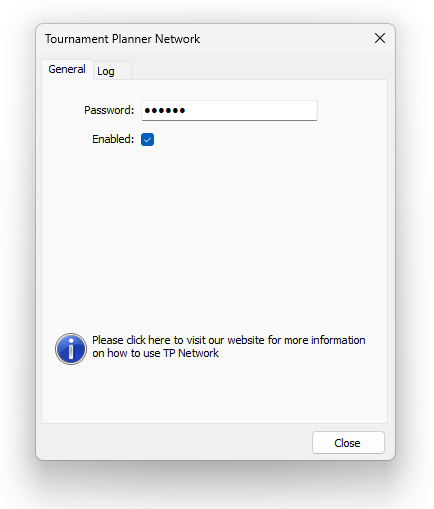
To use Scoreboard Connect together with the Tournament Planner application, Tournament Planner needs to have Tournament Planner Network enabled.
Enable Tournament Planner Network (REQUIRED)
- Make sure the tournament is open in the Tournament Planner application
- In the menu bar, select Extra and then Tournament Planner Network
- Make sure that the Enabled-box is ticked.
- Press Close
Enable Tournament TV (OPTIONAL)
Enabling Tournament TV in Tournament Planner will speed up the court update process a little bit (a few seconds). Without Tournament TV
the Scoreboard Connect app will periodically check for court updates, but with the Tournament TV enabled any court updates will be sent
directly.
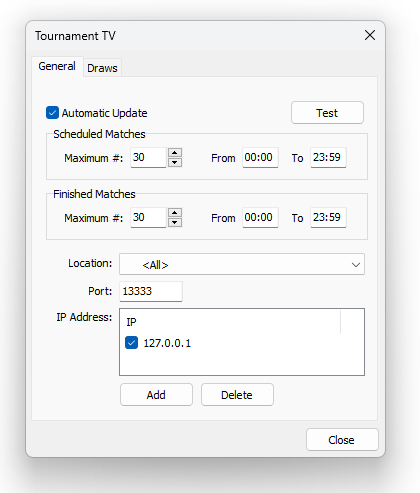
- Make sure the tournament is open in the Tournament Planner application
- In the menu bar, select Extra and then Tournament TV
- In the box named IP Address, make sure there is a line called 127.0.0.1, and that the box next to it is ticked (see image below).
- If this line is missing, click Add and enter 127.0.01 and click OK
- Make sure the Automatic Update-box is checked
- Press Close
Next topic - setting up the Scoreboard Connect app